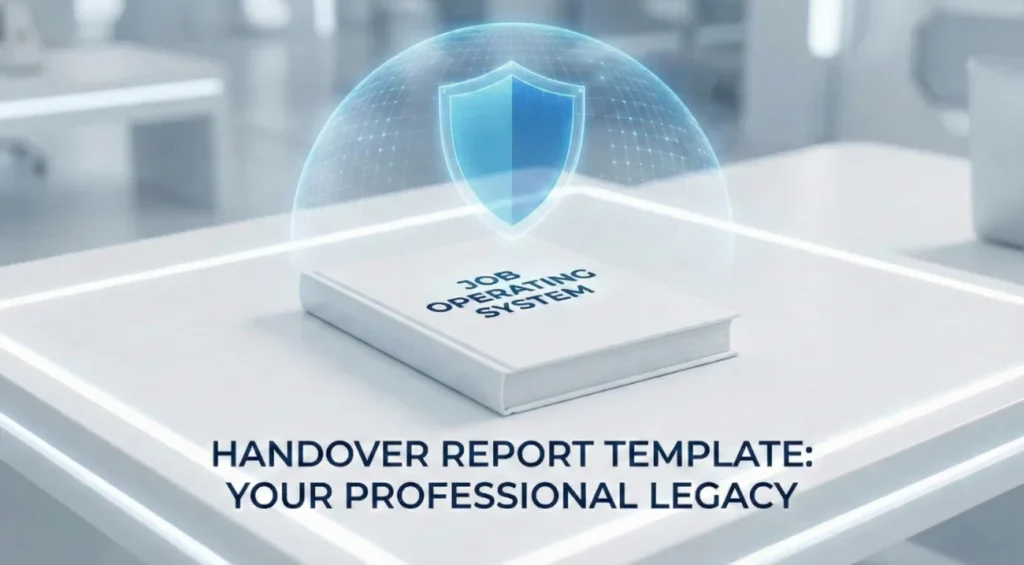
- Core idea: A handover report is your “insurance policy,” protecting your reputation and preventing post-exit blame.
- Email vs report: The email is a short cover note and link hub, the report is the detailed user manual your successor will rely on.
- What to include: The real job context (true KPIs and decision power), routines with Trigger/Action/Output, and a crystal-clear status map for every active project.
- How to build it fast: Use a 4-week “brain dump” flow, capture everything, organize it, add missing context, then deliver it with a clean doc plus a walkthrough.
- Make it usable: Pick Word for narrative roles, Excel for tracker roles, go hybrid when needed, and avoid common mistakes like password dumps, broken links, or missing workarounds.
The Ultimate Insurance Policy: Why a Handover Report Defines Your Legacy
In the corporate world, there is a dangerous misconception that a handover is simply a 30-minute meeting or a polite “good luck” email sent on your last Friday. This belief is the primary reason competent professionals find themselves fielding panicked phone calls weeks after they have started a new job. It is why relationships sour, projects collapse, and reputations – built over years – are tarnished in days. To truly protect your professional legacy and ensure a flawless exit, you need more than a conversation; you need a comprehensive, bulletproof handover report template.
Think of this document not as an administrative chore, but as a professional insurance policy. It serves two critical functions. First, it is your defense against post-departure blame (“Oh, [Name] never told us how to handle that client”). Second, it is a tangible artifact of your competence. When you produce a high-quality handover report, you are effectively writing the user manual for your own job, ensuring that the complex machinery of your role keeps running smoothly long after you have handed in your access badge.
This is not about ticking a box for HR. It is about control. By documenting your role effectively, you control the narrative of your departure. You ensure that your successor succeeds because of your groundwork, not in spite of your absence. In this expert guide, we are going to move far beyond basic checklists. We will dissect the anatomy of a perfect handover document, explore why different roles require different formats (Word vs. Excel), and provide you with the structural blueprints to build a handover document template that cements your status as a top-tier professional.
The Strategic Distinction: Handover Email vs. Handover Report
Before we start drafting, we must clear up a confusion that plagues even senior managers. Many people try to stuff their entire handover into an email. This is a tactical mistake that leads to lost information and frustrated successors.
| Feature | The Handover Email | The Handover Report |
|---|---|---|
| Primary Purpose | The “Cover Letter.” It notifies stakeholders, sets immediate priorities, and delivers the link to the files. | The “User Manual.” It contains the deep institutional knowledge, step-by-step processes, and historical context. |
| Ideal Length | 1-2 pages maximum. Scannable, urgent, and directive. | 5-20+ pages. Detailed, comprehensive, searchable, and structured. |
| Target Audience | Manager, Team, Successor (High Level). | The Successor specifically (Deep Dive Operational). |
| Lifespan | Read once, filed away. | Referenced daily for the first 90 days. |
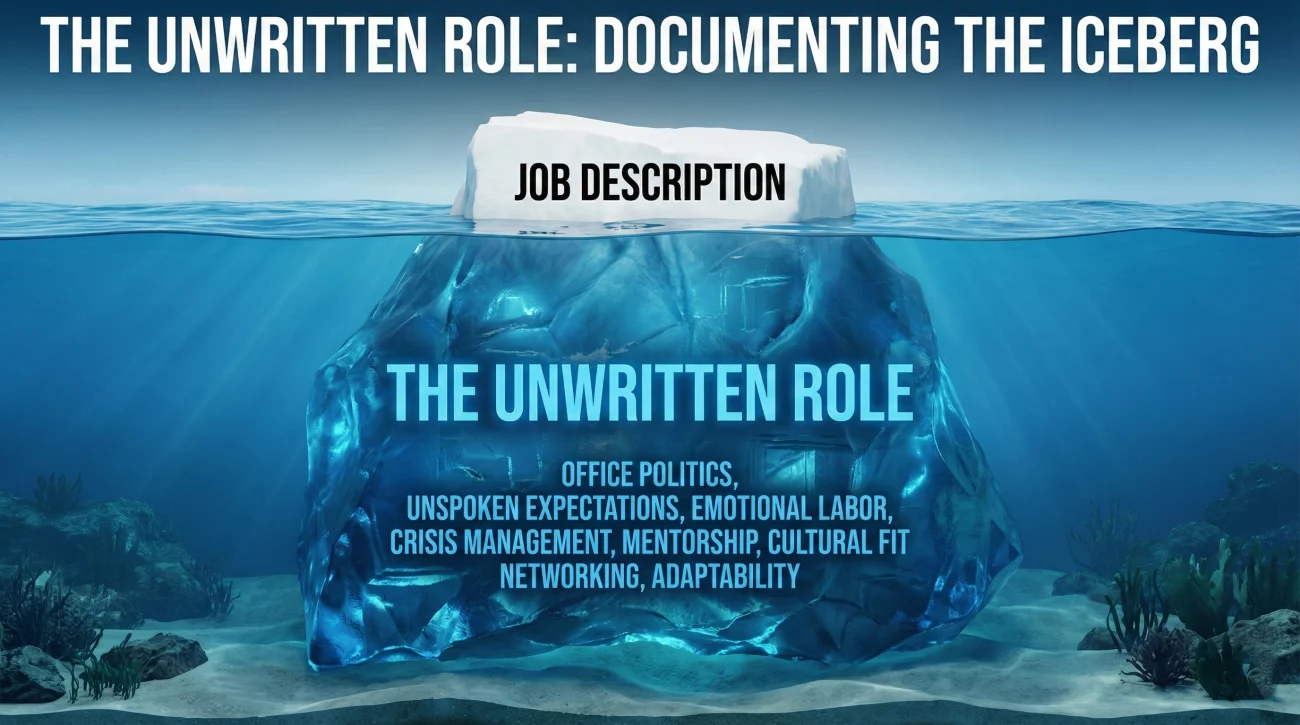
Your goal is to use a handover document template to capture the “Iceberg” – the 90% of your job that isn’t visible on the surface. The email is just the tip; the report is the substance. If you try to explain a complex billing process in an email body, it will get lost. Put it in the report, and use the email to say, “See Section 4.2 for billing protocols.”
The Anatomy of a World-Class Handover Report
A generic report lists tasks. A world-class report explains context. To build a document that truly serves your successor (and protects you), you need to include specific sections that answer the “how,” the “where,” and most importantly, the “why.”
1. The “Unwritten” Role Description
Your official HR job description is likely outdated or generic. Start your report with the reality of your day-to-day. What are the actual KPIs you are measured on? Who actually holds the power in decision-making? This context is vital for a new hire trying to navigate office politics.
💡 Pro Tip: Include a “Week 1 Survival Guide.” List the top 3 things they must do in their first week to avoid failure.
2. The Operational Blueprint (Routines)
This is where you document the “muscle memory” of your job. These are the recurring tasks you do on autopilot, which are the first things to break when you leave.
- 📅 Daily Routines: Checking specific dashboards, clearing specific inboxes, morning stand-ups.
- 📅 Weekly Rhythms: The Monday morning report generation, the Friday team sync, the Wednesday vendor call.
- 📅 Monthly/Quarterly: Invoicing cycles, analytics reviews, budget reconciliation.
For each item, include the Trigger (when to do it), the Action (what to do), and the Output (where it goes). This serves as a functional handover note sample for their first month.
3. The “State of Play” (Active Projects)
Nothing frustrates a manager more than a dropped ball on a live project. You need to be granular here. Do not just list “Website Redesign.” You must provide a status check that leaves no room for ambiguity.
Use this structure for every active project:
- Project Name: [e.g., Q4 Marketing Campaign]
- Current Status: [e.g., Phase 2 complete. Waiting for Legal approval on wireframes.]
- Next Immediate Action: [e.g., Follow up with Legal if not received by Tuesday.]
- Critical Deadlines: [e.g., Launch date is Nov 1st. Hard stop.]
- Folder Path: [e.g., G:/Marketing/2024/Redesign/Final_v3] – Always include the exact path!
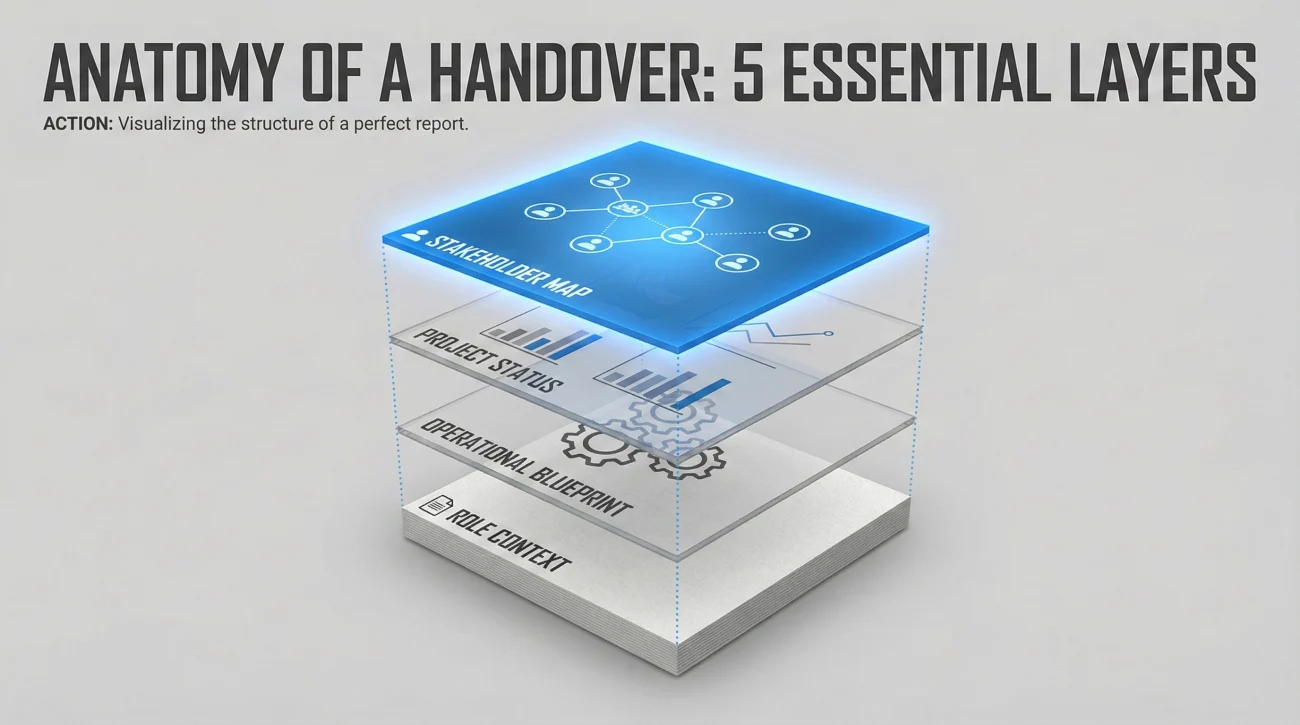
4. The Stakeholder Map (With Context)
A list of names and emails is useless; anyone can find that in the company directory. A list with psychological context is gold. You are transferring your relationship capital.
Example of a High-Value Entry:
Name: Sarah Jenkins (Head of Finance)
Context: She is the gatekeeper for all budget approvals.
Tip: She prefers requests sent by Thursday morning. If you email her on Friday afternoon, it won’t get approved until Tuesday. Do not CC her boss unless absolutely necessary; she hates it.
5. The “Secret Sauce” (Institutional Knowledge)
This is the section that prevents mistakes. Document the workarounds, the glitches in the software that only you know how to fix, and the historical context of why things are done a certain way. This protects your successor from reinventing the wheel or repeating past failures.
Example: “We tried using Tool X for this process last year, but it failed because it doesn’t integrate with our CRM. Stick to the manual process for now until the API is fixed.”
Choosing Your Format: Word vs. Excel
The format of your exit handover report should be dictated by the nature of your role. There is no “one size fits all,” and using the wrong tool can make your handover unusable.
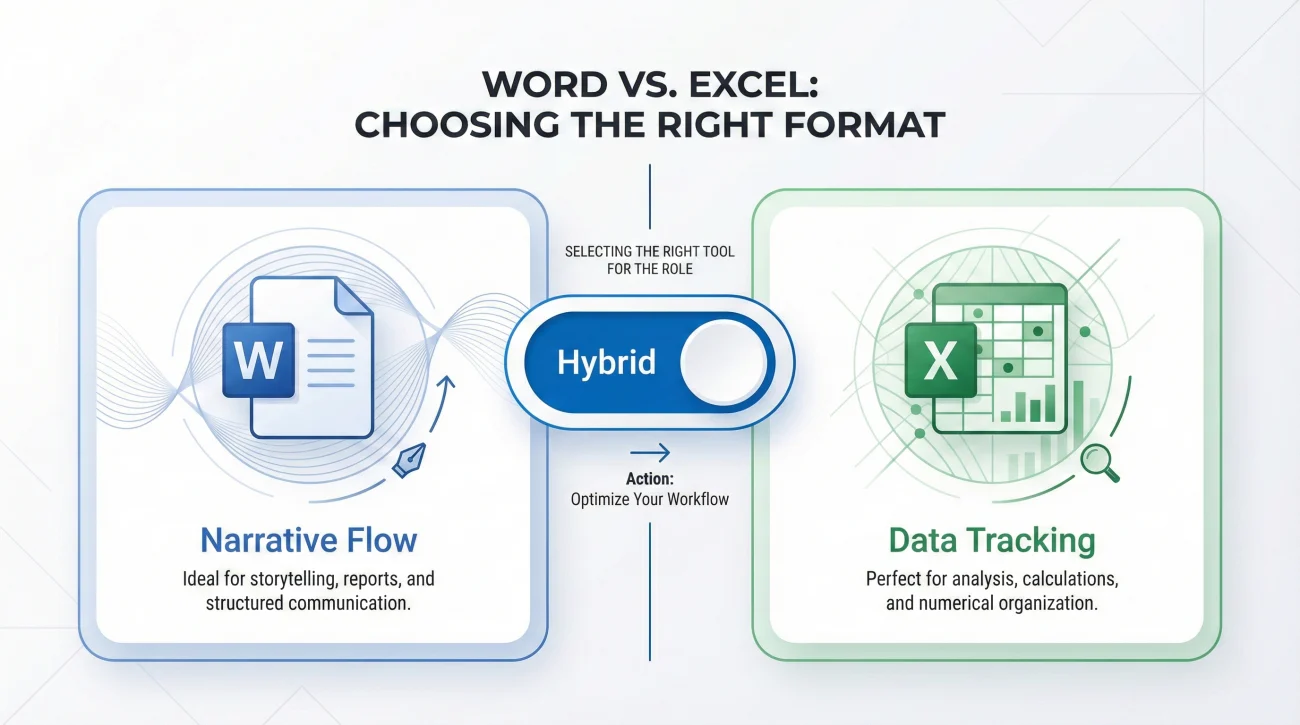
Scenario A: The Narrative (Word/Google Docs)
Best for: Marketing, Strategy, Communications, HR, or Senior Management roles.
If your job involves nuanced decision-making, complex relationships, and storytelling, you need a handover document word format. This allows you to write paragraphs explaining the “why” behind the “what.” It is easier to embed screenshots, link to various folders, and provide a reading guide for your successor. It feels like a manual.
Scenario B: The Tracker (Excel/Sheets)
Best for: Project Management, Operations, Finance, Supply Chain, or IT.
If your job is defined by deadlines, budgets, ticket numbers, and status updates, a job handover checklist template in Excel is superior. It allows for sorting, filtering, and “traffic light” status coding (Red/Amber/Green). Your successor can simply filter by “Due this Week” and know exactly what to do without reading paragraphs of text.
Scenario C: The Hybrid (The Pro Move)
For complex roles, the best approach is often a Hybrid: A Word document that acts as the “Strategy Guide” (Processes, Relationships, Guides) containing links to a “Master Tracker” in Excel (Deadlines, Passwords, Statuses). This gives the successor the best of both worlds.
The “Brain Dump” Method: A 4-Week Creation Timeline
Do not try to write this report on your last day. You will forget things, and you will be stressed. Instead, use the “Brain Dump” method starting the moment you hand in your resignation.
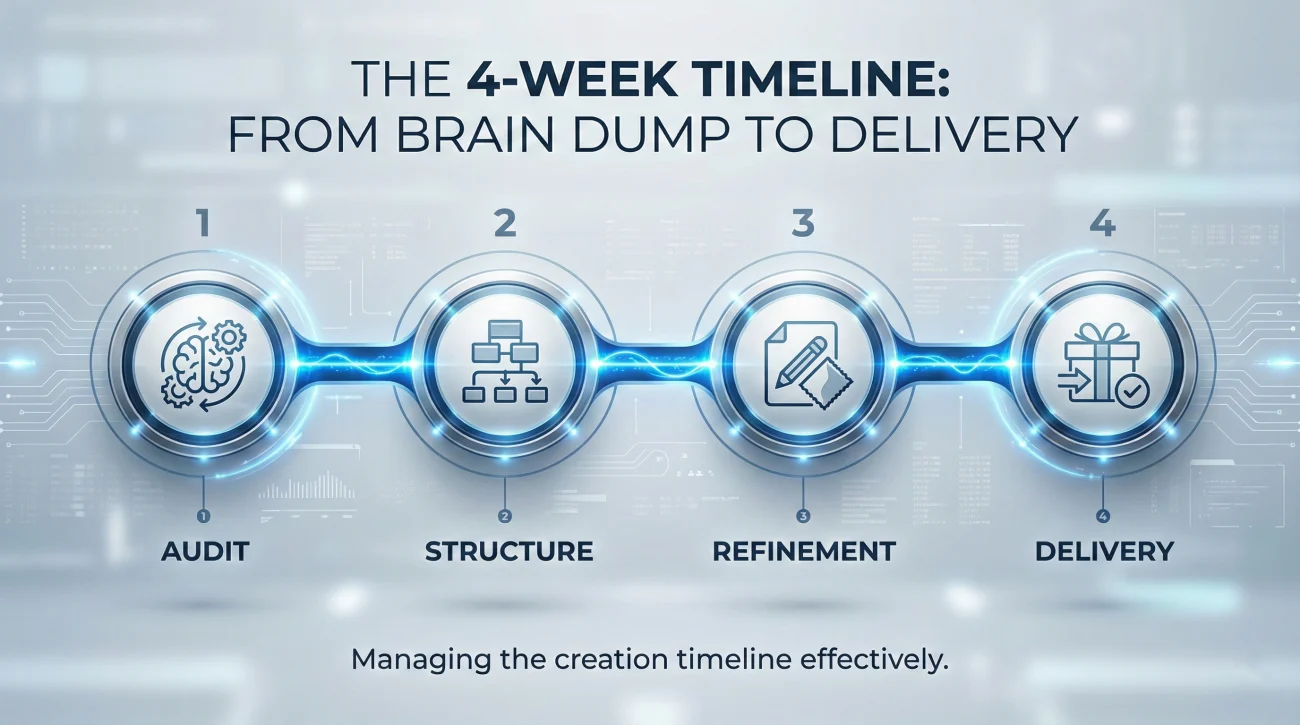
Week 1: The Audit (Capture Mode)
Open a blank document. Don’t worry about formatting. Every time you perform a task, write it down. Every time you open a folder, paste the link into the doc. Every time you email a key contact, write their name down. This is raw data collection.
Week 2: The Structure (Organization Mode)
Group your messy list into the categories mentioned above (Routines, Projects, Contacts). Begin filling in the gaps. Ask yourself: “If I came in on Monday and didn’t know how to do this, what would I need to know?” Write the answer.
Week 3: The Refinement (Context Mode)
Review your calendar from the last 6 months. Did you miss any quarterly meetings? Annual renewals? Add them now. Look at your “Sent” items in email. Who do you talk to most? Ensure they are in the stakeholder map.
Week 4: The Delivery (Transfer Mode)
Format it cleanly. Add a table of contents. Store it in a shared drive (not your desktop!). Schedule a 1-hour meeting to walk your successor (or manager) through it. The document is the reference, but the walkthrough provides the narrative.
Common Mistakes That Devalue Your Report
Even well-intentioned professionals make errors that render their documentation unusable. Avoid these traps to ensure your report is actually read and used.
| The Mistake | The Consequence | The Professional Fix |
|---|---|---|
| ❌ The “Password Dump” Writing passwords directly in the document. | Security breach. IT will flag this, and it violates policy. | ✅ Security First Never write credentials in a static file. Use LastPass/1Password or refer to IT. Document how to get access, not the secrets themselves. |
| ❌ Broken Links Linking to files on your Desktop/C: Drive. | Successor clicks link -> “File Not Found.” Panic ensues. | ✅ Shared Access Ensure all links point to a Shared Cloud Drive (Google Drive/SharePoint) that the team can access after your account is wiped. |
| ❌ Internal Jargon Using acronyms (TLA, SOP) without definition. | Successor feels confused and alienated. | ✅ The “Newbie” Test Write as if the person reading it was hired yesterday. Spell out every acronym at least once. |
| ❌ Vague Instructions “Handle the monthly report.” | Successor asks: “How? When? For whom?” | ✅ Granular Detail “Run the ‘Monthly Sales’ report in Salesforce, export as CSV, format using the template in Folder X, and email to John Doe by the 5th.” |
❓ FAQ
📄 How long should my handover report be?
Quality over quantity, but generally, a thorough report for a mid-level role falls between 5 to 15 pages. If it is shorter than 3 pages, you are likely missing context and assuming too much knowledge. If it is longer than 30, you might need to organize it better with an appendix or separate attachments. The goal is to be comprehensive enough to answer questions when you aren’t there.
💾 Word or Excel: Which one is better?
It depends on your function. For process-heavy, creative, or relationship-based roles, use a handover document word format for narrative flow. For task-heavy, deadline-driven roles (like Project Manager), an Excel tracker is often more practical. Many professionals use both: a Word doc for the guide (“How to do it”) and an Excel sheet for the active project list (“What to do next”).
🔐 Can I just email the report to my personal address?
Be very careful. Sending proprietary company data to a personal email can be a violation of your NDA or employment contract and could lead to legal trouble. Always store the primary copy on the company server and share the link. If you want a sample for your portfolio, redact all sensitive data and company names first.
🤝 What if I don’t have a successor yet?
Write the report for the “Future Successor.” Address it to the role, not a person. Hand it to your manager and say, “This is the operating manual for my role.” This is actually even more critical, as there will be a significant time gap where knowledge could be lost before the new hire starts. Your manager will rely on this document to keep things afloat.
Final Thoughts: Your Professional Legacy
Creating a detailed handover report template is the ultimate act of professionalism. It shows that you care about the team you are leaving behind and the work you have dedicated yourself to. It transforms your exit from a potential crisis into a manageable transition.
When you leave, you want people to say, “I miss them, but at least they left us a roadmap.” That is the legacy of a true professional. For more tools to manage your exit, check out our guide on handover email best practices or explore our comprehensive category of templates. Start your journey to a smarter resignation at our homepage.
⚠️ Legal Disclaimer: The resignation templates, email samples, and professional guidance provided in this guide are for informational purposes only and do not constitute legal advice. Employment laws and contract requirements vary by jurisdiction and individual circumstances. Please review your employment agreement and consult your HR department and/or a qualified attorney to ensure compliance with applicable laws and policies.