- Core rule: Do not let LinkedIn announce your resignation before your manager and team hear it first.
- Safest timing: Update after your last working day if politics are tense, or after your team has been informed in normal workplaces.
- Low-drama order: Turn off update broadcasts, update About and skills quietly, then adjust experience dates when ready.
- Posting decision: Only post if it clearly helps you, otherwise a quiet profile update is usually smarter.
- Common mistakes: Avoid emotional posts, “I’m finally free” energy, tagging people, oversharing details, and changing everything at once.
Updating LinkedIn Is Part of Your Exit Strategy (Not a Random Click)
The day you resign, your brain wants closure. One of the fastest ways to feel that closure is to rush online and change everything: job title removed, new headline, new company tagged, “Open to Work” glowing like a billboard.
But update linkedin after quitting is not just a profile tweak. It’s an information event. It can trigger gossip, alerts, screenshots, and awkward questions – sometimes before your manager has even told the team your last day. If you want a calm exit, your timing matters as much as your wording.
This guide gives you a clean approach: the safest timing, what to update first, what to avoid, and exactly what to post if you decide to announce.
The Core Rule: Don’t Let LinkedIn Announce Your Resignation for You
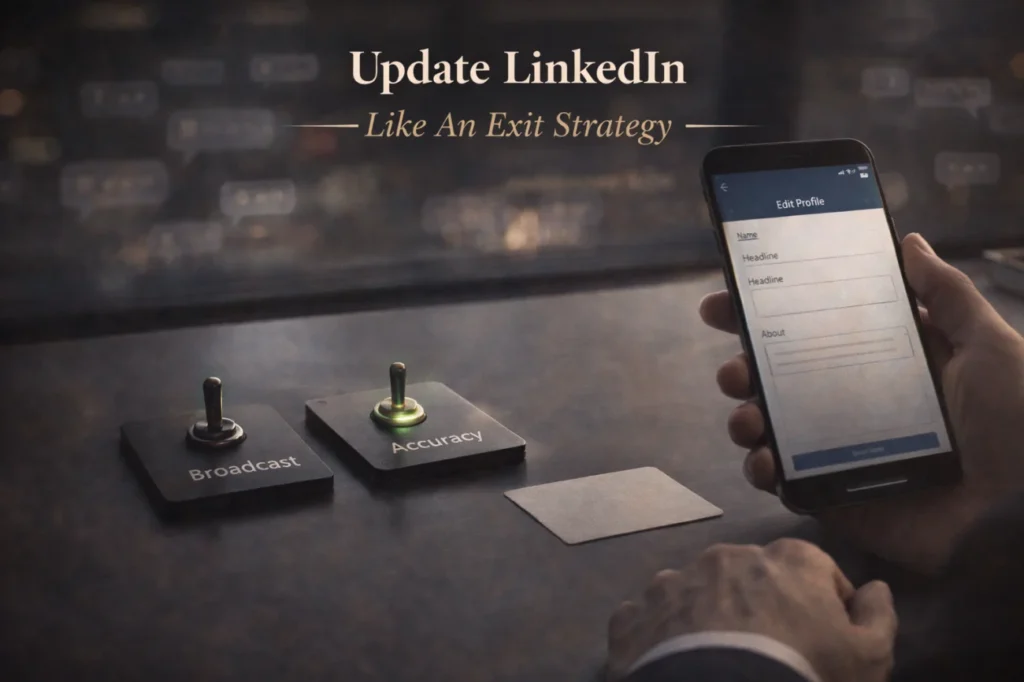
LinkedIn can broadcast changes in ways you didn’t intend. Even if you don’t “post,” some updates can show up in feeds, notifications, or “congratulations” prompts. The result is simple: people learn your news out of order.
A clean exit is usually this sequence: manager first, then HR (if needed), then your team, then wider coworkers or stakeholders, and only after that – public updates. When you break the sequence, you create drama you didn’t need.
When to Update: The Safest Timing Windows
There isn’t one perfect day for everyone, but there is a safest range. Use the timing that matches your risk level and your workplace culture.
| Timing Option | When You Update | Best For | Main Risk |
|---|---|---|---|
| Ultra-safe | After your last working day | Tense managers, office politics, competitor moves | Feels “late” if you want momentum |
| Balanced | After your team has been informed | Normal workplaces with professional leadership | Someone might still spread it early |
| Fast | After resignation is accepted and comms plan is set | Supportive managers, internal transparency | Triggers questions before you’re ready |
| High risk | Before you resign | Almost never worth it | Signals job-search, invites pressure/retaliation |
If you’re unsure, pick ultra-safe. It is very hard to regret waiting a few days. It’s easy to regret updating too early.
What to Update First (Low-Drama Order)
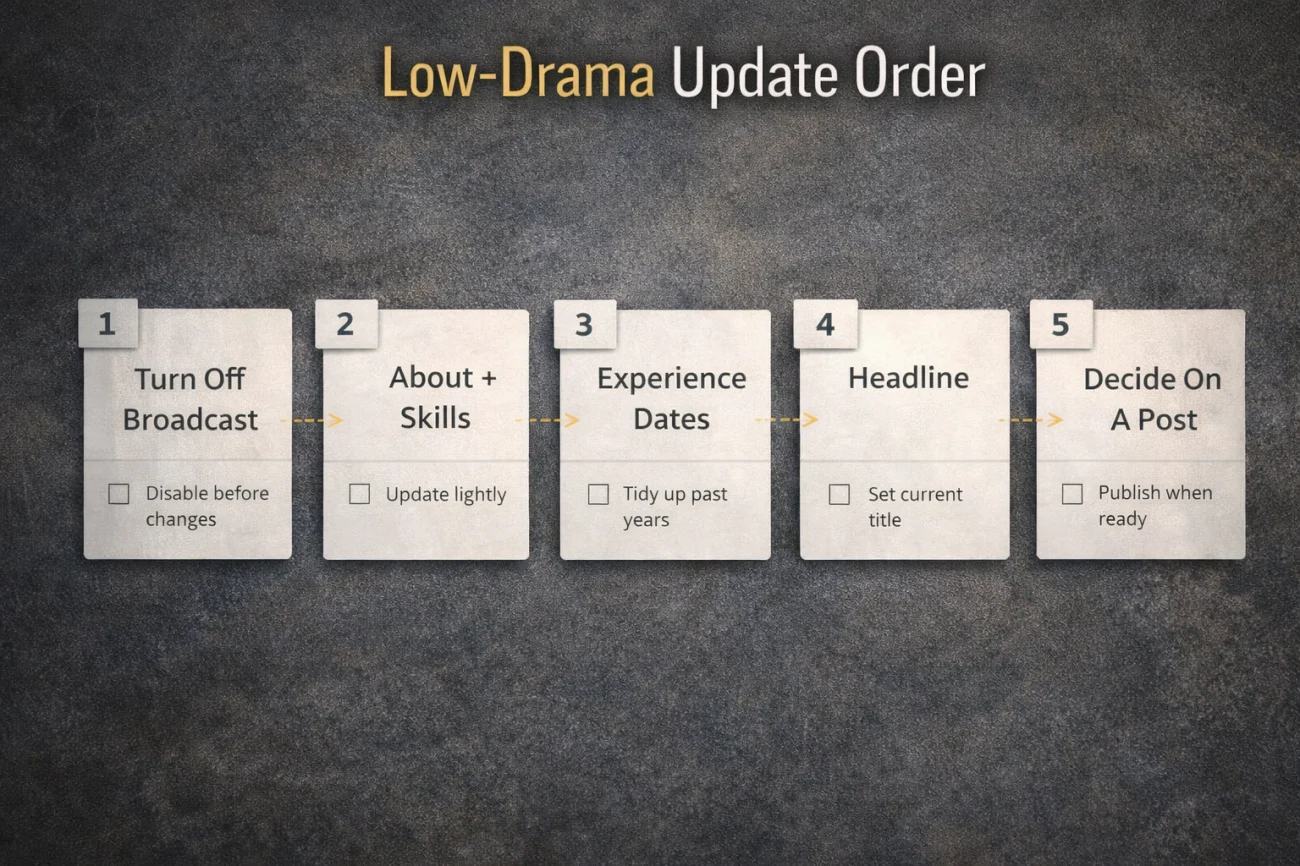
If you want to reduce noise, update in a quiet sequence. The goal is to keep your profile accurate without accidentally making a public announcement.
- Turn off public profile change notifications (or set updates to private).
- Update your About section and skills quietly (no employer tagging needed).
- Update your experience dates and role details when you’re ready.
- Only then decide whether you want a public post.
Think of it as separating “profile accuracy” from “public announcement.” You can do the first without doing the second.
The Privacy Move That Prevents Accidental Broadcast
The easiest way to avoid awkwardness is to make changes without sending a signal. LinkedIn has settings that can reduce how visible your edits are. Before you touch your experience section, take two minutes to reduce “announcement effects.”
If you work in a high-gossip environment, treat privacy settings like a seatbelt. You don’t need it until you do.
What to Write When You Update Your Experience
The safest writing style is factual and neutral. Job titles, dates, scope, and outcomes. Avoid anything that reads like a subtweet about your old company. Even if your exit was messy, your LinkedIn should look clean.
If you are starting a new role soon, it’s okay to leave a small gap rather than rush a half-accurate update. A short gap looks normal. A dramatic story looks risky.
Should You Post an Announcement? Only If It Helps You
A LinkedIn post is not required. Some people post because they want networking momentum. Some post because they feel like they “should.” The second reason is usually the wrong one.
Post if it clearly benefits you: you’re entering a new role, you want to thank mentors, you’re actively exploring opportunities, or you want to signal a clean transition. Skip it if you’re in a sensitive exit, moving to a competitor, or trying to keep your next step private.
Copy-Paste Templates (Short, Professional, No Oversharing)
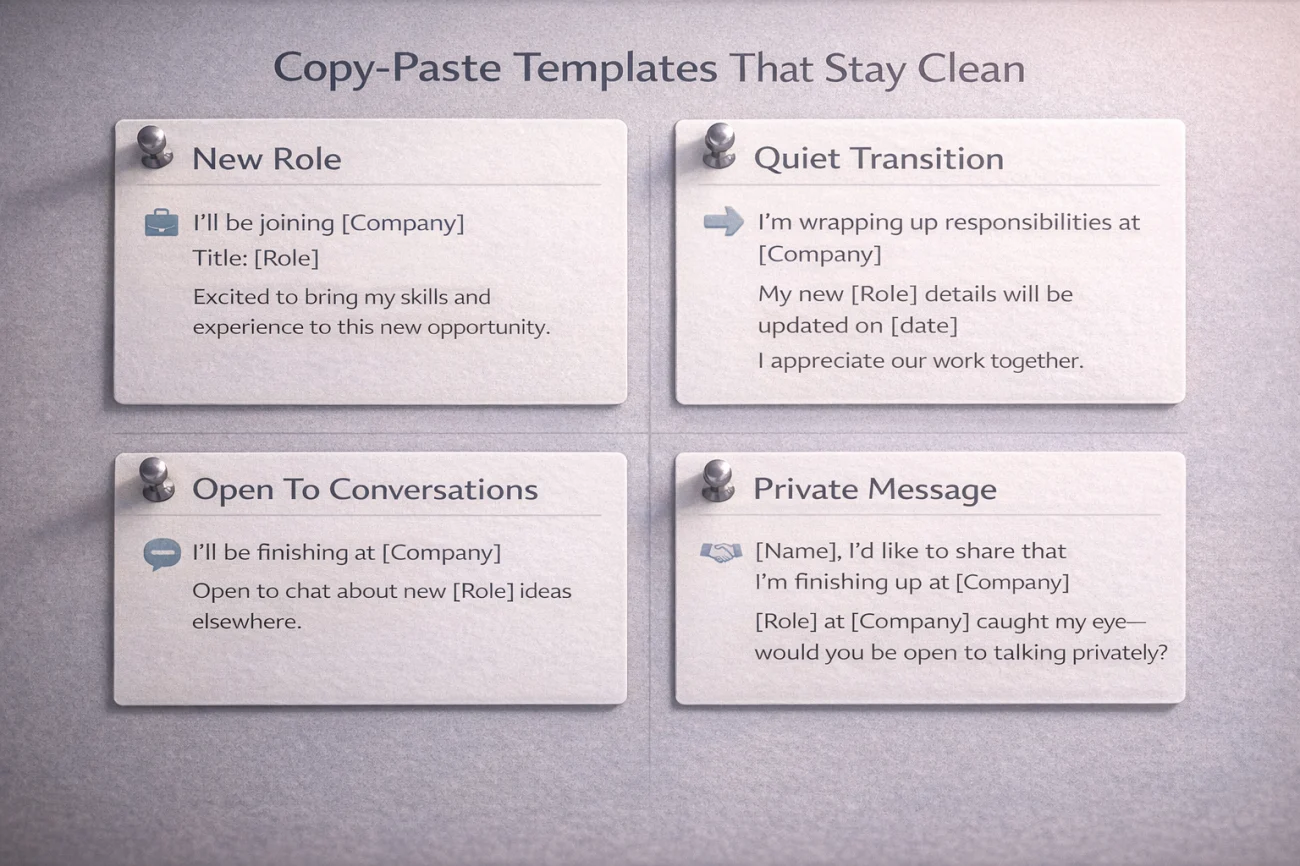
Template 1: New role announcement (clean and simple)
I’m excited to share that I’m starting a new role as [Title] at [Company]. I’m grateful for everyone I worked with at [Previous Company] and for the projects that helped me grow. Looking forward to what’s ahead.
Template 2: Quiet transition (no new company mentioned)
I’ve recently wrapped up my role at [Previous Company] and I’m taking the next step in my career. I’m grateful for the people and experiences along the way. If you’d like to reconnect, feel free to message me.
Template 3: Open to conversations (without sounding desperate)
I’m exploring opportunities in [Function/Industry] where I can focus on [Strength/Value]. If you know of teams hiring for [Target Role], I’d appreciate any introductions. Thanks to everyone who’s supported me in my last role.
Template 4: Message to close colleagues (private message, not a public post)
Hey [Name] – I wanted to share directly that I’m moving on from [Company]. I really appreciated working with you, and I’d love to stay in touch. If you’re open to it, I’d also appreciate a quick LinkedIn recommendation based on our work on [Project].
“Open to Work” After Quitting: Helpful or Risky?
“Open to Work” can be powerful when you want inbound messages. It can also create awkwardness if your resignation isn’t public internally yet, or if you’re trying to keep your search discreet.
If you want the benefits without the noise, use a cautious approach: update quietly first, then turn it on after your internal communication is done, or after your last day. If you’re in a sensitive industry, consider being selective about what you broadcast.
Mistakes That Make a Normal Exit Look Messy
- Updating your job status before your manager tells the team.
- Posting a long emotional story that invites questions.
- Posting “I’m finally free” energy, even as a joke.
- Tagging leadership or coworkers in a way that pressures them to respond.
- Sharing details that could create legal or competitive friction.
- Changing everything at once and triggering a wave of notifications.
Your LinkedIn is not your diary. It’s your professional footprint. Make it boring on purpose.
Checklist: The Clean LinkedIn Update Plan After Resigning
If you want a simple way to handle this without overthinking, follow this checklist. It keeps your profile accurate and your exit calm.
| Checklist Item | What You Do | Why It Helps |
|---|---|---|
| Internal order first | Manager → team → wider group | Prevents “LinkedIn told me” drama |
| Reduce visibility | Limit public update broadcasts | Stops accidental announcements |
| Update quietly | About/skills first, experience later | Keeps momentum without noise |
| Decide on a post | Only post if it helps you | Avoids performative updates |
| Keep it neutral | Facts + gratitude + forward focus | Protects reputation and references |
| Use private messages | Tell key people directly | Stronger relationships, less gossip |
Update LinkedIn Like Someone Who Leaves Cleanly
Your resignation is already a change event. You don’t need to turn it into a broadcast event. When you choose the right timing, keep your language neutral, and control visibility, your profile stays accurate without creating chaos.
If you remember one rule, make it this: update linkedin after quitting only after the people who should hear it first have heard it first. Then your LinkedIn becomes what it’s supposed to be – a clean record of your career, not a trigger for drama.
❓ FAQ
✅ Should I update LinkedIn before my last day?
Usually, no. The safest approach is to wait until your manager and team have been informed, or until after your last day if the environment is tense. Updating too early can create gossip and awkward pressure.
📅 What’s the safest time to update my job status?
After your internal resignation communication is complete. If you want maximum safety, update after your last working day so LinkedIn doesn’t accidentally announce your move before you do.
💬 Do I need to post an announcement when I leave?
No. A post is optional. Post only if it helps you: networking, a new role announcement, or letting your network know what you’re targeting. Otherwise, a quiet profile update is often better.
🧾 Should I turn on “Open to Work” right after quitting?
Only if you’re ready for visibility. If your resignation isn’t fully public at work yet, or you want discretion, wait until communication is complete or until after your last day.
🔒 How do I avoid LinkedIn broadcasting my changes?
Adjust your settings so profile changes aren’t widely shared, then update in a quiet sequence. Keep your edits factual and avoid tagging people or companies in a way that triggers attention.
⚠️ Legal Disclaimer: The resignation templates, email samples, and professional guidance provided in this guide are for informational purposes only and do not constitute legal advice. Employment laws and contract requirements vary by jurisdiction and individual circumstances. Please review your employment agreement and consult your HR department and/or a qualified attorney to ensure compliance with applicable laws and policies.