
- Why It Matters: A great handover email protects your reputation, preserves relationships, and prevents after-exit calls for “where is that file”.
- Exit Insurance: Aim for zero disruption by documenting what is urgent, what is ongoing, and who matters for each workstream.
- Pre Work First: Clean your folders, consolidate assets into one handover hub, and run an access audit so links never show “Access Denied”.
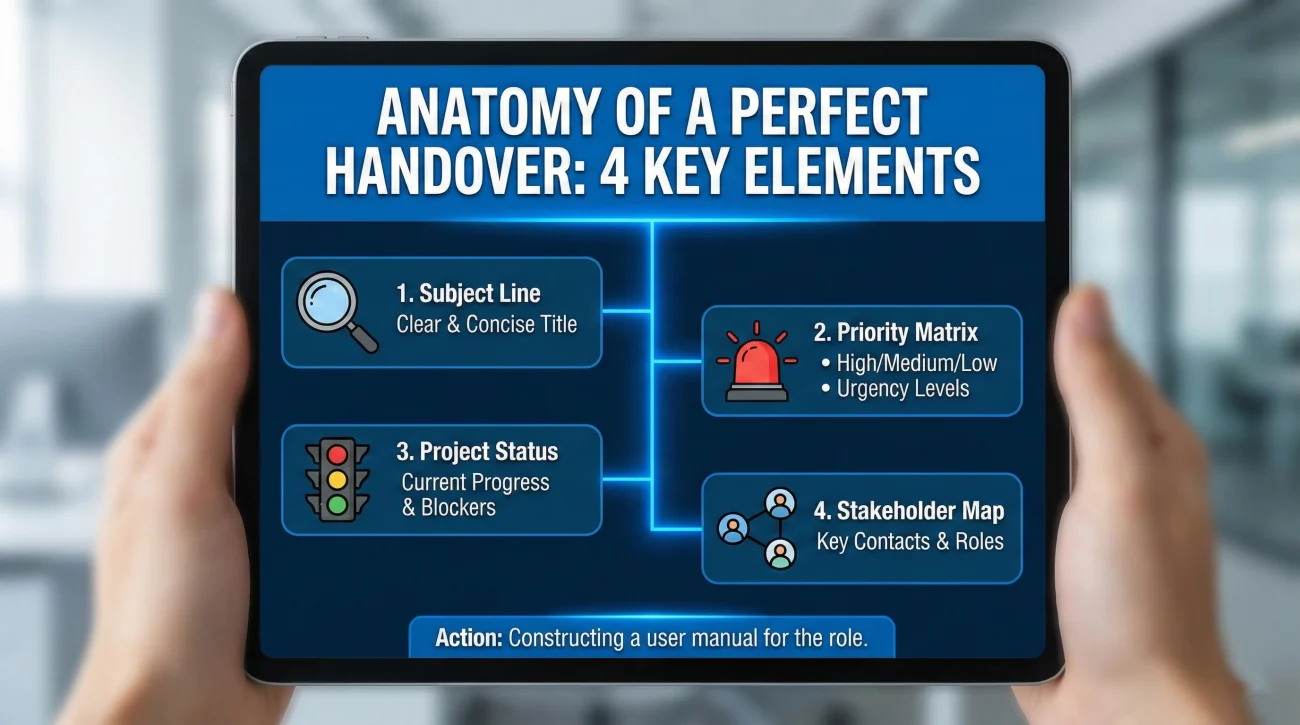
- Perfect Anatomy: Use a clear subject, a Week 1 priority matrix, status plus next action plus owner per project, and a stakeholder map with practical working notes.
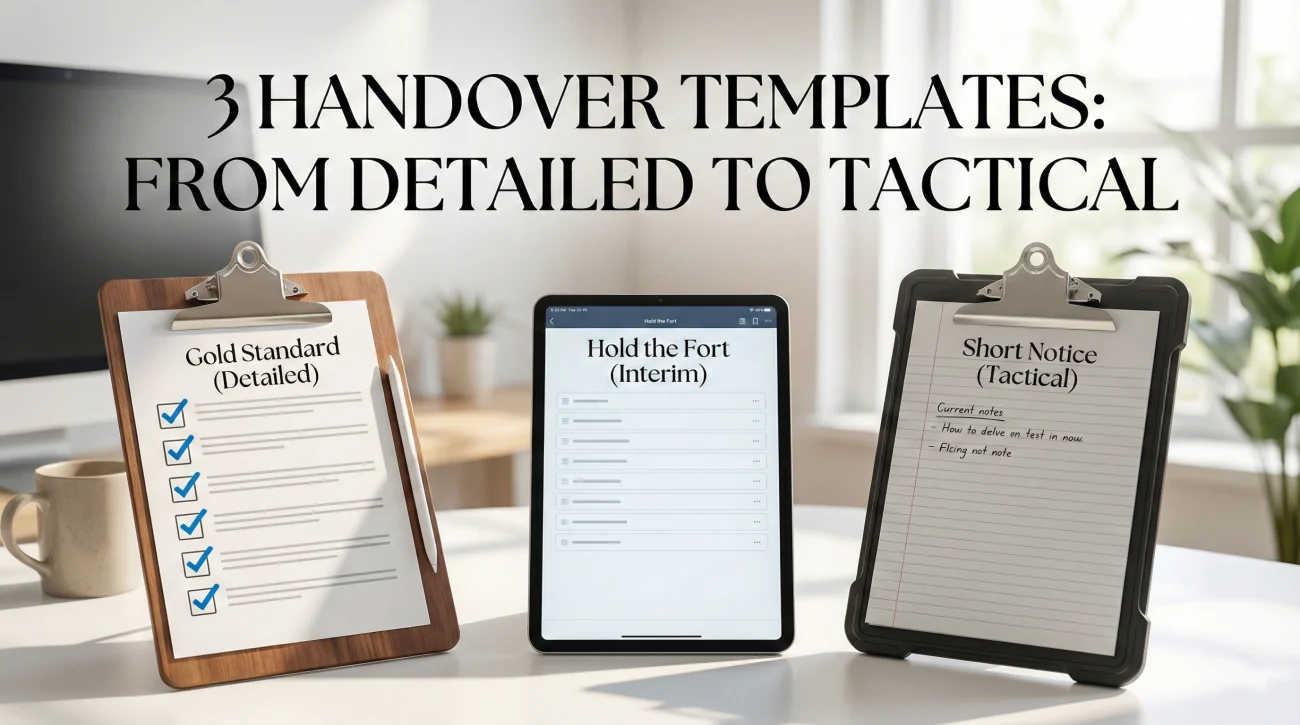
- Templates And Traps: Pick the right template for full handover, no replacement, or short notice, avoid data dumps, vague instructions, and uncontrolled availability.
Why the Perfect Handover Email Matters
We have all been there. You start a new job, eager and ready to prove yourself, only to find that the person you replaced left behind nothing but a half-empty desk and a computer full of disorganized files. It is a nightmare scenario that sets you back weeks. Now that you are the one leaving, you have a distinct opportunity: to be the person who does it right. A meticulously crafted handover email to colleague is not just an administrative courtesy; it is the final seal on your professional reputation.
Most professionals treat the handover process as an afterthought – a hurried checklist scribbled out between farewell coffees and packing up personal belongings. This is a strategic mistake. The way you manage your exit speaks louder than your tenure. If your former team struggles to find files or misses deadlines because you “forgot to mention it,” that frustration becomes your lasting legacy.
But when executed correctly, a handover is a masterclass in professionalism. It ensures that while you may be gone, your projects continue to thrive, and your relationships remain intact. This deep-dive guide moves beyond generic advice. We are going to deconstruct the psychology of a seamless transition, explore how to structure your digital assets before you even write the email, and provide you with field-tested templates that cover every possible exit scenario.
Why Your Exit Strategy Is Your Professional Insurance
Think of your handover not as a favor to the company, but as insurance for your own career. The business world is incredibly small. The colleague struggling to decipher your cryptic notes today could be the hiring manager reviewing your application five years from now.
A comprehensive handover email to successor serves three critical functions that benefit you directly:
- 🛡️ It protects your boundaries: If you leave clear instructions, you won’t receive frantic texts asking for passwords or file locations while you are trying to enjoy your time off or settle into a new role.
- 🤝 It preserves relationships: Leaving a mess burns bridges. Leaving a roadmap builds them. People remember who made their lives easier.
- 🏆 It validates your contribution: Documenting your workflows and responsibilities effectively showcases the volume and value of the work you have done. It is a final “receipt” of your impact.
The goal is “Zero Disruption.” You want to create a system where your replacement can step into your shoes and immediately start walking, without stumbling over hidden obstacles or missing critical turns.
The Pre-Work: Organize Before You Write
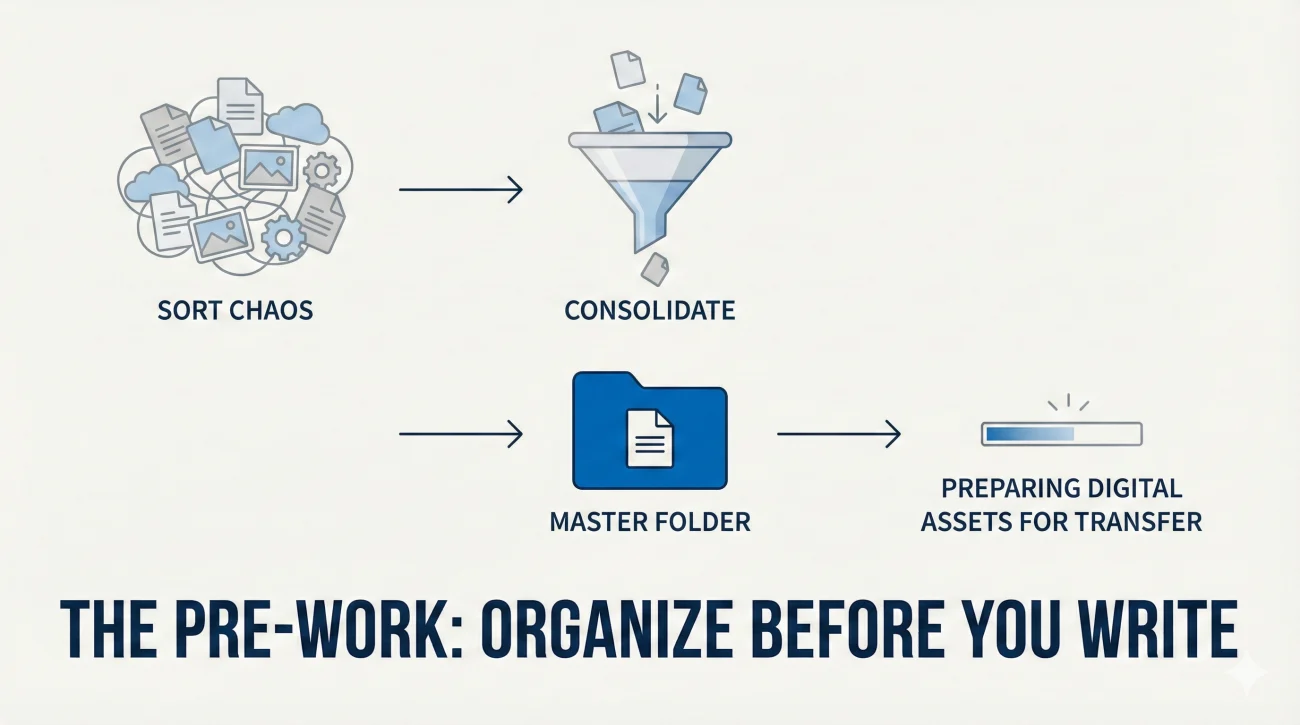
You cannot write a clear map if the territory is chaotic. Before you even open your email client to draft a handing over duties email, you need to stage your digital environment. Writing the email is actually the final step; organizing the chaos is where the real work happens.
Digital Hygiene and Asset Consolidation
We all have “that folder” on our desktop labeled “Misc” or “To Sort.” Now is the time to sort it. If your successor opens a shared drive and sees hundreds of loose files with names like `Final_v2_REAL_EDIT.docx`, they will panic.
Spend your final week consolidating. Create a master folder named “[Your Name] – Handover Documents – [Year]”. Inside, create subfolders logically organized by project or function. This allows your email to be clean and concise, linking to one central hub rather than fifty different scattered locations.
The “Zero Trust” Access Audit
Assume your successor has access to nothing. Do not assume that because a file is on the server, they can open it. Check permissions. If you own Google Docs or Sheets, transfer ownership to your manager or a colleague. If you are the primary admin on a software account, ensure a secondary admin is appointed. There is nothing more frustrating for a new hire than clicking a link in a handover email only to be met with “Access Denied.”
The Anatomy of a Perfect Handover Email
A great handover email needs to be scannable, logical, and actionable. Avoid wall-of-text narratives. Use formatting to guide the eye. When you are structuring your job handover email sample, think of it as a user manual, not a letter.
1. The Subject Line
Be boringly specific. Your successor will likely need to search for this email months from now. Make it impossible to miss.
- Bad: Handoff / Bye!
- Good: Handover Notes – [Your Role] – [Your Name] – Key Projects & Logins
2. The “Red Alert” Priority Matrix
Lead with what is burning. If you were hit by a bus tomorrow, what would crash? Define the immediate fires that need tending in the first week. This helps your successor triage their workload instantly without getting overwhelmed by long-term tasks.
3. Project Status & “The Ball is in Their Court”
For every ongoing project, define exactly where it stands. Do not just list the project name. Use a “Status – Next Action – Owner” framework.
Example: “Q3 Marketing Report: 80% complete. Needs final data from Finance (requested 12/01). Once received, update slide 5 and send to Director.”
4. The Human Map (Stakeholder Context)
This is the “secret sauce” most people forget. An organizational chart tells you who people are, but it doesn’t tell you how to work with them. Provide context on personalities and preferences (diplomatically).
Instead of just listing “Jane Doe – Vendor,” try: “Jane Doe (Vendor) – Very reliable, but needs 48 hours notice for shipping. Prefers email over phone.” This nuance is invaluable for a transition email to colleague.
Handover Email Templates for Every Scenario
Below are three distinct templates tailored to different exit situations. Copy, paste, and customize them to fit your specific voice and role.
Scenario A: The “Gold Standard” (Detailed Handover)
Use this when you are leaving a complex role and want to ensure absolute clarity. This is the template that cements your reputation as a top-tier professional.
Subject: Handover Documentation: [Role Name] – [Your Name] – Important Links & Next Steps
Hi [Successor Name],
Welcome to the team! I am thrilled to be handing the baton to you. To help you hit the ground running, I have organized everything you need regarding the [Role Name] position.
I have uploaded a comprehensive “Master Handover Folder” here: [Link to Shared Folder]. This folder contains all the process docs, contacts, and archives mentioned below.
🚨 IMMEDIATE PRIORITIES (Week 1)
- Project Alpha: Deadline is this Friday. The draft is in the “Pending” folder. It just needs a final proofread.
- Client Meeting: Scheduled for Tuesday at 10 AM. Briefing notes are attached.
- System Access: Check your email for an invite to [Software Name]. If not received by tomorrow, ping IT support.
📂 KEY WORKSTREAMS & STATUS
1. Reporting (Weekly)
The data is pulled from [Source]. I have created a video walkthrough of how to generate this report saved in the “Tutorials” subfolder.
2. Vendor Management
We are currently renegotiating with [Vendor Name]. The latest contract draft is with Legal. You will need to follow up with them by next Wednesday.
👥 KEY CONTACTS & CONTEXT
- Sarah (Finance): Your go-to for budget approvals. She prefers requests before Thursday noon.
- Mike (Tech): Knows the legacy system inside out. If the server crashes, he is the first person to call.
📅 RECURRING CALENDAR ITEMS
- Monday Standup (9:00 AM) – Mandatory
- Monthly Strategy Review (Last Friday of month) – Prepare slides 2 days prior.
I have tried to cover everything in the attached “Standard Operating Procedures” document. I will be available on email until [Your Last Date] if you have any burning questions.
Best of luck – you are going to do great!
Best regards,
[Your Name]
Scenario B: The “Hold the Fort” (No Replacement Yet)
Often, you might leave before a replacement is hired. In this case, you are writing an email to new employee taking over in the future, or to your manager who will distribute the work. Clarity is even more critical here because there is no one to ask “what did they mean?” in real-time.
Subject: HANDOVER: Critical Tasks & Access Info – [Your Name]
Hi [Manager’s Name],
As we discussed, since my replacement hasn’t started yet, I have prepared this email to serve as a roadmap for whoever steps in, and to help the team cover my duties in the interim.
🔐 ACCESS & CREDENTIALS
All relevant login details have been shared via LastPass/1Password to [Manager’s Email]. Please ensure the new hire gets access to the “Marketing Team” shared vault immediately.
🔥 PENDING ITEMS (Urgent)
- Invoices: There are 3 invoices in the “To Pay” folder that need approval by EOD Friday.
- Client X: They are expecting a proposal by the 15th. The draft is 90% done and saved here: [Link].
📚 WHERE TO FIND THINGS
- Working Files: [Link to Drive]
- Archived Assets: [Link to Server Path]
- Brand Guidelines: [Link to PDF]
I have created a detailed “Day-in-the-Life” document attached to this email that outlines the daily rhythm of the role to help the new hire adjust quickly.
Thank you for the support during my time here.
Best,
[Your Name]
Scenario C: The “Short Notice” Tactical Handover
Life happens. Sometimes you have to leave quickly. This template strips away the fluff and focuses purely on survival and continuity.
Subject: Transition Notes – [Your Name] – Essential Info
Hi Team,
To ensure a smooth transition during my departure, here are the critical items you need to know regarding my current workload.
📌 TOP 3 THINGS TO WATCH
- The Q4 Campaign: Live now. Monitor daily spend. If CPA exceeds $50, pause and consult [Name].
- Team Roster: Needs to be updated by Friday. Data is in the HR portal.
- Server Migration: Scheduled for weekend. IT handles this, but we need to verify backups on Monday.
📂 FILE LOCATIONS
I have moved all personal files off the drive. Everything remaining in the “[Your Name] Project Folder” is business-critical and up to date.
Please refer to the attached checklist for a granular breakdown of open tickets.
Cheers,
[Your Name]
Common Pitfalls That Ruin a Good Handover
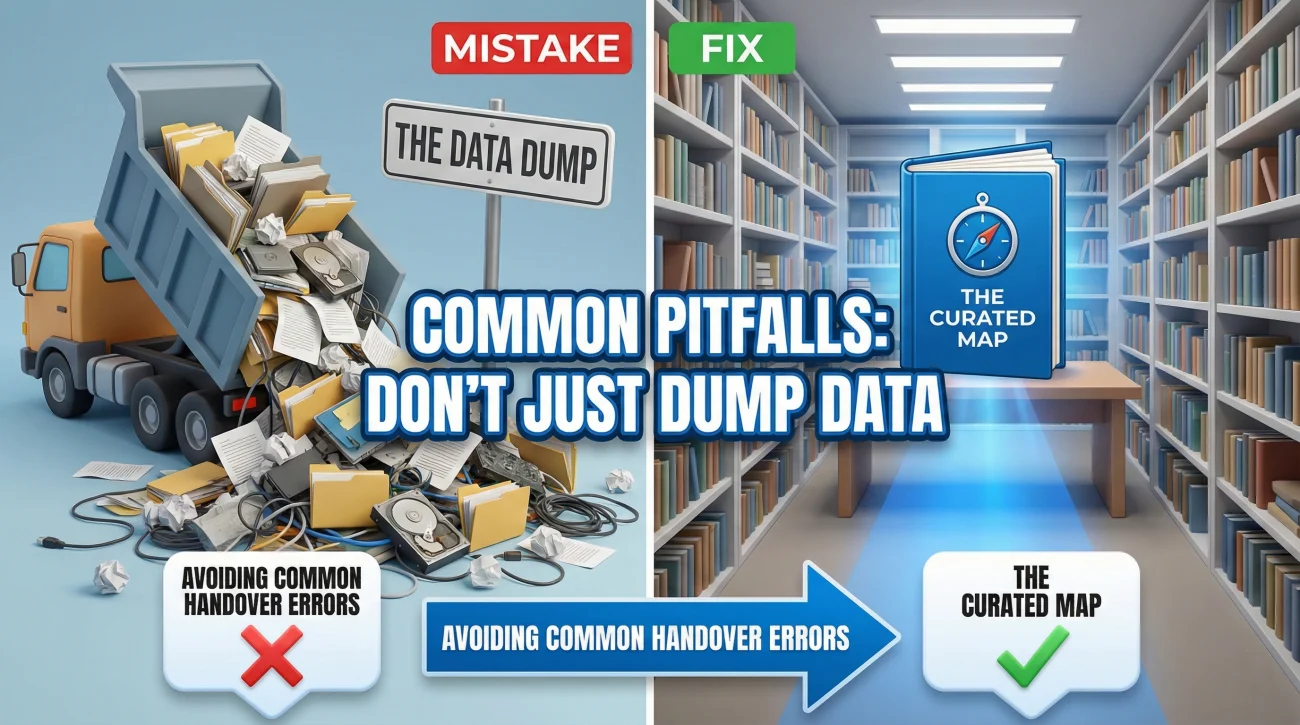
Even well-intentioned professionals make mistakes. Avoiding these common traps distinguishes a seasoned expert from a novice.
| The Mistake | The Professional Fix |
|---|---|
| ❌ The “Data Dump” Forwarding 500 emails or sharing a disorganized folder with zero context. | ✅ The Curated Map Create a “Read Me First” document that explains how the folder is organized and what is actually important. |
| ❌ Vague Instructions “Handle the monthly report.” (Does not say how, when, or for whom). | ✅ SOPs (Standard Operating Procedures) “Run the report using [Tool] by the 5th, export as PDF, and email to [Name].” |
| ❌ Ghosting Leaving without providing any contact info for emergencies. | ✅ Controlled Availability Provide a personal email for “critical emergencies only” to show goodwill without promising 24/7 support. |
❓ FAQ
⏰ When is the best time to send the handover email?
Ideally, send your handover email 3-5 days before your last day. This gives your colleagues or successor time to read it, click the links, and ask clarifying questions while you are still in the building. Sending it at 4:59 PM on your final Friday is a recipe for disaster.
📧 Should I cc my boss on the handover email?
Absolutely. Always cc your direct manager. This serves as proof that you have fulfilled your duties and provides them with a record of where assets are stored. It is professional protection and helpful for the team.
💼 What if I have confidential files to hand over?
Do not attach sensitive HR or financial data to a general email. Instead, store them in a secure, password-protected folder and share the link only with the authorized recipient. Mention in the email: “Confidential files regarding [Topic] have been shared securely with [Name].”
🤝 How do I handle “soft knowledge” or office politics?
Be careful with written “warnings” about difficult colleagues. It is better to handle this verbally if necessary. In writing, focus on communication styles (e.g., “Prefers concise emails”) rather than personality judgments.
Final Thoughts: Leaving the Ladder Down
The transition period is often chaotic, but it is also the time when your professional character is most visible. By taking the time to craft a thoughtful, organized, and comprehensive handover email to colleague, you are doing more than just transferring files; you are demonstrating leadership and empathy.
You are essentially leaving the ladder down for the person climbing up behind you. That kind of professional courtesy is rare, and it is something that people remember. As you close this chapter and prepare for your next adventure, ensure your exit is as impressive as your entrance was.
For more insights on navigating your career transition, check out our guide on handover email best practices or explore our comprehensive category of templates. If you are still in the early stages of leaving, ensure you start with the basics on our Homepage.
⚠️ Legal Disclaimer: The resignation templates, email samples, and professional guidance provided in this guide are for informational purposes only and do not constitute legal advice. Employment laws and contract requirements vary by jurisdiction and individual circumstances. Please review your employment agreement and consult your HR department and/or a qualified attorney to ensure compliance with applicable laws and policies.